Konversation has switched to Git (December 10th, 2009)Konversation has switched to Git (December 10th, 2009)

As many of you probably already know, KDE has its eyes set on moving to Git, the revision control system developed by the Linux kernel developers in 2005 (and now in use at a great many places). Everyone's favorite music player Amarok already made the switch in July of this year, and today Konversation has followed suit! The nitty-gritty follows, Q&A style:

Why Git?

Most Konversation developers have used Git for some time already, either on other projects or even for their Konversation work (via git-svn), and have developed a strong preference for it, especially due to the superior performance and the way it greatly improves the local workflow by adding powerful branching and merging features over a Subversion working copy. We're also looking forward to sharing in some of the benefits reported by the Amarok developers after using it for some time.

Another advantage of Gitorious specifically is a lowered barrier to entry for external contributors, thanks to the possibility of making personal clones of the project on the platform and filing a merge request for any changes made.

Why now?

Konversation is moving ahead of the bulk of KDE. Here are some reasons why:

Where?

You can find the repository information and spy on our activities on our Gitorious page. Build instructions are, as always, found on our wiki. If you want to jump right in, here's a clone command for read-only public access:

git clone git://gitorious.org/konversation/konversation.git

Or, if you have a Gitorious account, are a member of kde-developers (if not, file a request here), and want to start working:

git clone git@gitorious.org:konversation/konversation.git

Does this mean you're no longer part of KDE?
and
I'm a KDE developer, can I still commit changes to Konversation?

Konversation without KDE would be unthinkable! :) The project and its repositories on Gitorious are owned by the kde-developers team (the same is true for Amarok), which is the official extension of the KDE community into the realm of Gitorious. Anyone with an existing KDE SVN account can very easily ask to be added to the team by filing a sysadmin request (a more scalable solution for the big KDE move might be in the cards, though), and anyone in the team can commit to any projects owned by it.

Bottom line: Konversation hasn't parted ways with the KDE community, and never will. The move to Gitorious is done on the assumption that KDE will soon follow, which is the direction things have been going in for a while. However, should the KDE community end up deciding that it would rather host its own Git infrastructure, Konversation will definitely move there.

I'm a KDE translator doing work on Konversation, what changes for me?

In short: Nothing! :) Just as with Amarok, Konversation's translations remain in SVN, and KDE's infrastructure (i.e. the scripty bot) takes care of moving data between Git and SVN as needed.

I want to work on the Konversation handbook, but I can't find it in the Git repository.

As with the translations, Konversation's documentation remains in SVN for integration with KDE's l10n infrastructure.

I used to get my hands on Konversation by checking out all of extragear, now I need to go to two places. This sucks.

Yes, this is a bit of a downside at the moment, sorry :(. This has been identified as a problem for the KDE transition to Git some time ago, and work is underway to solve it. The todo entry on the KDE Techbase wiki points to a tool meant to be capable of combining SVN and Git projects into virtual sets that can be checked out or updated at once, keeping the established SVN workflow intact. Give it a try, it might work for you already.

Why am I still seeing you in KDE SVN?

The directory will be removed shortly (as Amarok's has been), once KDE's l10n infrastructure has been updated to look for Konversation at the new place. If you had been planning to commit a change to Konversation, please commit to Git instead!


That's it, folks! If you have any more questions, don't hesitate to stop by on our IRC channel or hit our mailing list.

Konversation 1.2.1 has been released! (November 12th, 2009)Konversation 1.2.1 has been released! (November 12th, 2009)

This second release in the Konversation 1.2.x release series for KDE 4 adds a number of new features to the bookmarks system and support for reacting to changes in network availability as signaled by KDE's Solid, along with a number of fixes for bugs discovered since version 1.2 was released last month.

Changes from 1.2 to 1.2.1:

Konversation 1.2 has been released! (October 9th, 2009)Konversation 1.2 has been released! (October 9th, 2009)

Konversation 1.2 is the first release of Konversation for the KDE 4 application platform and desktop environment. In addition to preserving the full functionality of the KDE 3 version, this release offers a significant amount of new features and improvements to the user interface, performance, memory usage, energy efficiency, correctness and stability. Sum total, the changelog of all development releases since Konversation 1.1 and of this final release combined once again make for the longest changelog in Konversation's release history.

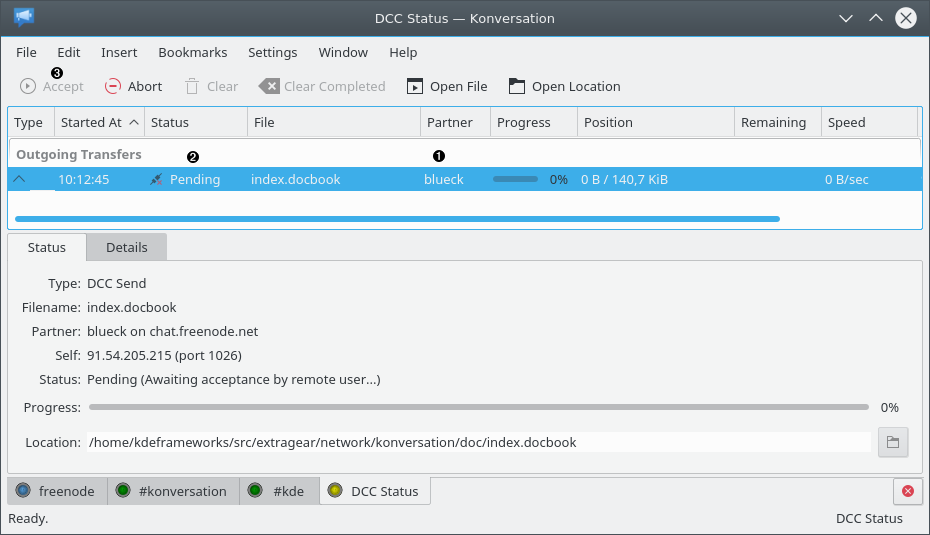
Some of the highlights compared to Konversation 1.1 include support for SOCKS v5 and HTTP proxies, a redesigned DCC file transfer user interface (and much improved DCC code under the hood with several new features, such as support for IPv6 and DCC REJECT), support for UPnP for NAT traversal, rewritten and much improved support for Blowfish encryption (now supporting DH1080 key exchange, for example), a significantly better performing channel list, a rewrite of the channel nickname lists for better performance and improved battery-friendlyness, a new channel join invitation user interface, an improved auto-replace feature, expanded media player support and many improvements to the IRC protocol implementation.

Enjoy!

Changes from 1.2-rc1 to 1.2:

Konversation 1.2-rc1 has been released! (October 3rd, 2009)Konversation 1.2-rc1 has been released! (October 3rd, 2009)

After a pleasantly uneventful two weeks with beta1, this release candidate for our first KDE 4 stable release brings a handful of bugfixes that, while definitely worth having, are fortunately none too scary. We thus expect the final Konversation 1.2 release to follow in the very near future.

Changes from 1.2-beta1 to 1.2-rc1:

Konversation 1.2-beta1 has been released! (September 21st, 2009)Konversation 1.2-beta1 has been released! (September 21st, 2009)

Konversation 1.2-beta1 marks the departure from active feature development for Konversation 1.2 and the entrance into the much-vaunted halls of bug-fixing-until-the-final-release, which we expect to materialize in early October. Until then, you can enjoy what this beta has to offer: HTTP and SOCKS v5 proxy support, further redesign of the DCC Status tab (many of you will be happy to find the minimum window size with the DCC Status tab open much reduced now), the long-awaited return of marker and remember lines and the resurrection of link dragging from the text display widget are of particular note, but the changelog has the details on a variety of other additions, plus the usual assortment of bugfixes, as well.

Changes from 1.2-alpha6 to 1.2-beta1:

Konversation 1.2-alpha6 has been released! (August 8th, 2009)Konversation 1.2-alpha6 has been released! (August 8th, 2009)

Konversation 1.2-alpha6 is primarily a hotfix release addressing a serious DCC crash that we unfortunately only discovered after releasing alpha5. To sweeten the offer, however, it also includes a nicer DCC tranfer list that separates incoming and outgoing transfers into distinct categories, allows you to enable/disable individual columns and saves the sort column and direction across application restarts. Furthermore, Konsole tabs may now be renamed and there's also a fix for the handling of certain rare mode characters.

Changes from 1.2-alpha5 to 1.2-alpha6:

Konversation 1.2-alpha5 has been released! (August 5th, 2009)Konversation 1.2-alpha5 has been released! (August 5th, 2009)

Konversation 1.2-alpha5 features significant performance and memory usage improvements in several areas of the application, such as channel nickname lists, backlog loading, Channel List tabs and the URL Catcher - the latter two have also seen a fair number of interface refinements, making them much more enjoyable to use. The DCC subsystem has seen the addition of IPv6 support and a '/dcc get' command to accept an incoming file transfer from the input line. Various smaller additions and improvements have been made as well, including the usual share of bug fixes.

Changes from 1.2-alpha4 to 1.2-alpha5:

Konversation 1.2-alpha4 has been released! (July 4th, 2009)Konversation 1.2-alpha4 has been released! (July 4th, 2009)

Alpha 4 marks a significant milestone on the way to feature completeness for the v1.2 release of Konversation. New features in this release include UPnP NAT traversal support for DCC file transfers and chats, DH1080 key exchange support for Blowfish encryption and the ability to automatically split very long actions (i.e. usage of the '/me' command) into multiple messages conforming to the maximum length of an IRC message (this was already supported for regular messages for some time).

Many bugs have also been addressed, including an important fix for invitation dialogs causing disconnects by timeout if they were not dealt with quickly enough - and not only is the rewritten dialog non-blocking, it also allows for handling multiple outstanding invitations in a single dialog, rather than a new dialog being displayed for every additional invitation received. Other fixes include further interface polish and robustness and correctness improvements to Blowfish encryption, the Watched Nicks Online system and the storage of per-tab encoding preferences in the configuration file.

A closing note for packagers: In this release we have replaced our custom implementation of the Blowfish encryption algorithm with an optional dependency on the Qt Cryptographic Architecture (QCA) library in version 2 or higher. By implication, Blowfish encryption support is now optional: A QCA2-enabled build will have it; a build not using QCA2 will not.

Changes from 1.2-alpha3 to 1.2-alpha4:

Konversation 1.2-alpha3 has been released! (June 2nd, 2009)Konversation 1.2-alpha3 has been released! (June 2nd, 2009)

This third alpha fixes a fair amount of annoying bugs encountered in day-to-day usage, as well as a serious bug in handling NAMES messages from IRC servers. We've also made some UI changes that we'd like to get your feedback on: We've changed the default tab completion mode to "Cycle Nicklist", and we've removed the frame around the tab widget when using the listview version of the tab bar.

Changes from 1.2-alpha2 to 1.2-alpha3:

Konversation 1.2-alpha2 has been released! (May 26th, 2009)Konversation 1.2-alpha2 has been released! (May 26th, 2009)

After just under a week's worth of adding back some missing functionality, polishing the interface and, of course, of fixing bugs, we've decided to bring you Konversation 1.2-alpha2. While there were no major defects discovered in alpha1, this one should yield an overall more refined user experience, and brings us another good step closer to our first stable release for KDE 4.

Changes from 1.2-alpha1 to 1.2-alpha2:

Konversation 1.2-alpha1 has been released! (May 20th, 2009)Konversation 1.2-alpha1 has been released! (May 20th, 2009)

We're happy to bring you this first public release of the KDE 4 version of Konversation.

Despite the "alpha" moniker we've settled on for this one, mostly due to not yet being feature-complete (see below), this port has already been used productively by a fair number of people for some time and should be stable enough for general usage. In fact, certain features, notably DCC file transfers and auto-replace, are expected to be more robust than in Konversation 1.1.

While this version largely achieves feature parity with Konversation 1.1 (and adds several new features on top), notable exceptions are the lack of support for marker lines as well as nick and channel context menus in the chat view. These are pending the merge of a rewritten chat view and will make a return before the final Konversation 1.2 release. Other known issues in this version include a lack of KDE 4 HIG compliance in the configuration dialog and various minor interface polish problems; these will be addressed as well.

Enjoy, and don't forget to report any bugs you encounter!

Changes from 1.1 to 1.2-alpha1:

KDE 4 port: New SVN path, translationsKDE 4 port: New SVN path, translations

The work to port Konversation to KDE 4 has been progressing well since the last update. While there are still some odds and ends left to tie up, the port has generally been fairly stable and usable for some time now, and many of you have switched to it already. Reflecting that, we have moved back from /branches to /trunk in KDE SVN. In other, more succinct words:

The new SVN path for the KDE 4 port is now: /trunk/extragear/network/konversation

... just as it used to be in the old days.

A welcome side-effect of the new (old) SVN location is being back on the radar of KDE's awesome translation teams and their infrastructure, so many of you should now be able to enjoy KDE 4 Konversation in your native language - the existing KDE 3 translations have been moved as well to form a strong basis for this.

A public alpha release is not far off at this point. If you want to get involved as we zero in on the target of our first stable KDE 4 release, check out the todo list on the bug tracker.

News update: KDE 4 port, 1.1.x plans, Qt 4.5 Beta 1News update: KDE 4 port, 1.1.x plans, Qt 4.5 Beta 1

A bunch of noteworthy items:

Attention Amarok 2 usersAttention Amarok 2 users

Those wishing to query their Amarok 2 music player (Beta 1 released) from within Konversation using /media or /audio will be interested to learn that the 'media' script shipped with Konversation 1.1 does in fact contain experimental Amarok 2 support, albeit disabled due to being merged during feature freeze.

If you're familiar with Python coding, you may simply want to edit your existing copy yourself. Alternatively, grab the latest version (with Amarok 2 support enabled by default) from SVN, move it to ~/.kde/share/apps/konversation/scripts/ and mark it as executable to override the system-installed version.

To those in the know, please note that the implementation is presently Amarok 2-specific; a generic MPRIS client implementation for the 'media' script is planned to be included with the initial KDE 4 release of Konversation (and yes, we're making progress on that).

Konversation 1.1 has been released!Konversation 1.1 has been released!

We are extremely pleased to announce Konversation's newest major release, v1.1. Konversation 1.1 is a special release for us in multiple ways: It's our farewell to KDE 3, by way of being the last major release built upon that venerable platform. It's also our biggest release yet, in terms of the number and magnitude of the changes.

The additions and improvements in this release are both user-visible and under the hood. Some of the highlights are rewritten connection handling (robustness and correctness improvements, better support for IRC URLs, bookmarking and more), redone DCC with better UI and Passive/Reverse DCC support, a redone away system with the addition of auto-away support, redone and much more useful remember / marker line support, a new outbound traffic scheduler that is capable of aggressive throttling to avoid flooding while smartly reordering messages to improve latencies, great convenience additions like a "Next Active Tab" shortcut, and much, much more, along with a large number of bugfixes and tweaks to round things out. Note: All fixes made since RC1 are marked with a "[New since RC1]" label in the changelog.

We're confident that this release is the best and most robust version of Konversation published so far, and upgrading comes highly recommended to all users. Enjoy!

Changes from 1.0.1 to 1.1:

Text views

Marker/Remember Lines

Input line

Nickname list

Tab bar / Tree list

System Tray icon

Channel Settings Dialog

Server List Dialogs

Interface Misc

Commands

Notifications

Connection handling

Identities

Away system

DCC

Blowfish support

Auto-replace

Ignore

Watched Nicknames

Channel List

Under the Hood / Protocol

Included scripts

Packaging

Build